Spark
Connect Spark step by step: attach the listener, issue its key, and check it reports.
Connect it
- Choose the deployment: which environment this is: production, staging.
- Attach the listener: add the jar and register the listener.
- Issue the key and set it: put the key in the driver's environment.
- Report Python failures, if the job is PySpark: optional: report a PySpark driver that fails in Python.
- Check it reports: run something and watch the first event arrive.
convalesce-emit-spark is a Spark listener, installed as io.convalesce:convalesce-emit-spark_2.12 or io.convalesce:convalesce-emit-spark_2.13. Once it is attached, Spark tells Convalesce about every application, job and SQL query as it runs, in Spark's own words.
It reads none of your data and changes nothing about how a job runs.
Convalesce is a hosted service. The plugin sends out to it over HTTPS, and nothing has to be opened inbound on your side.
Before you start
- A way to add a package and a setting to your Spark jobs: flags on
spark-submit,spark-defaults.conf, a cluster's Spark config, or a job's parameters. - A way to set two environment variables on the Spark driver.
Connect it
In Convalesce, open Integrations, choose Spark, and follow the steps. Each one is shown below as it looks on screen, with what to copy and run.
Set the key on the driver. The listener lives there, so that is where it reads its settings. In client mode the driver is the shell that runs spark-submit. In cluster mode it runs elsewhere, and the connect screen gives the setting that carries the variables to it.
The steps depend on one choice: Where it runs. Pick yours here, and every step, picture and script below follows it.
Flags on each job you submit.
Step 1 of 5: Choose the deployment
Which environment this is: production, staging.
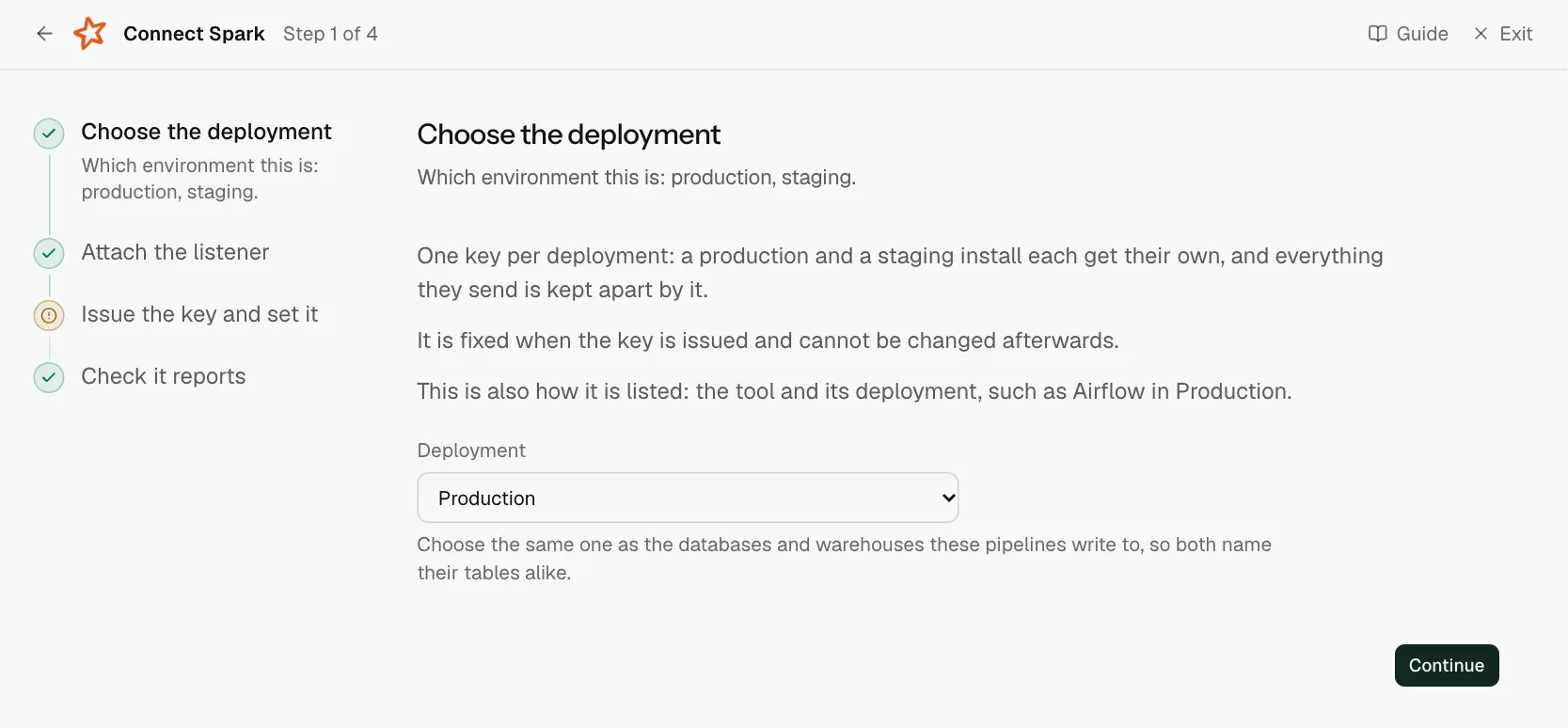
One key per deployment: a production and a staging install each get their own, and everything they send is kept apart by it.
It is fixed when the key is issued and cannot be changed afterwards.
This is also how it is listed: the tool and its deployment, such as Airflow in Production.
| What it asks for | Needed | What to enter |
|---|---|---|
| Deployment | Yes | Choose the same one as the databases and warehouses these pipelines write to, so both name their tables alike. Choose one of: Production, Staging, Development, Test, Quality assurance, User acceptance, Pre-production, Sandbox. |
Step 2 of 5: Attach the listener
Add the jar and register the listener.
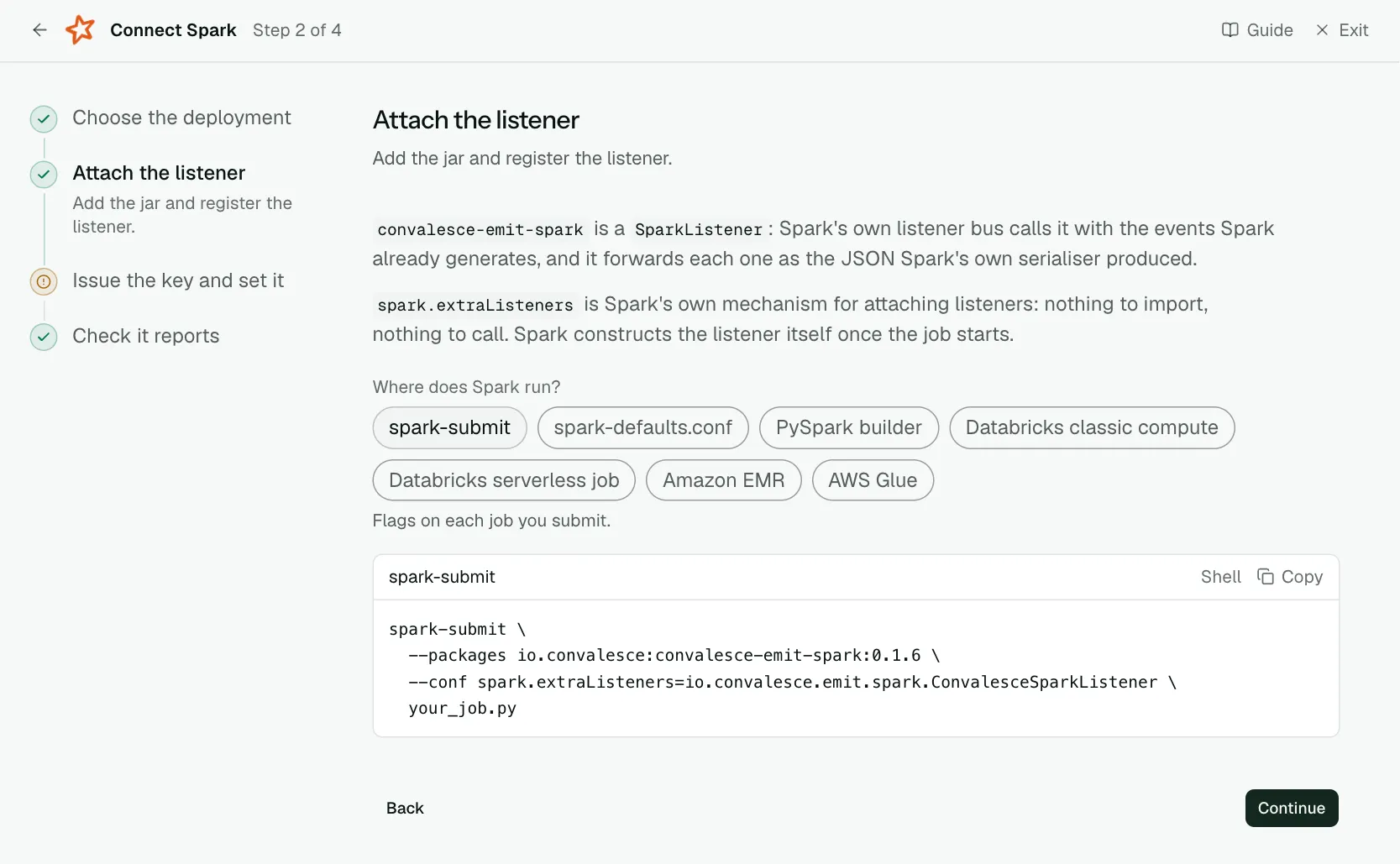
convalesce-emit-spark is a SparkListener: Spark's own listener bus calls it with the events Spark already generates, and it forwards each one as the JSON Spark's own serialiser produced.
spark.extraListeners is Spark's own mechanism for attaching listeners: nothing to import, nothing to call. Spark constructs the listener itself once the job starts.
The package brings OpenLineage with it and the listener starts it, so the tables and columns each job read and wrote arrive with nothing else to add. A job that already runs OpenLineage its own way is left as it is.
| What it asks for | Needed | What to enter |
|---|---|---|
| Spark version | Optional | Choose yours to see its package. spark-submit --version prints it, with the Scala version it was built for: a Spark 3 built for Scala 2.13 takes the Spark 4.0 package. Choose one of: Spark 3.3 to 3.5, Spark 4.0. |
spark-submit \
  --packages io.convalesce:convalesce-emit-spark_2.12:0.2.1 \
  --conf spark.extraListeners=io.convalesce.emit.spark.ConvalesceSparkListener \
  your_job.py
spark-submit \
--packages io.convalesce:convalesce-emit-spark_2.13:0.2.1 \
--conf spark.extraListeners=io.convalesce.emit.spark.ConvalesceSparkListener \
your_job.pyStep 3 of 5: Issue the key and set it
Put the key in the driver's environment.
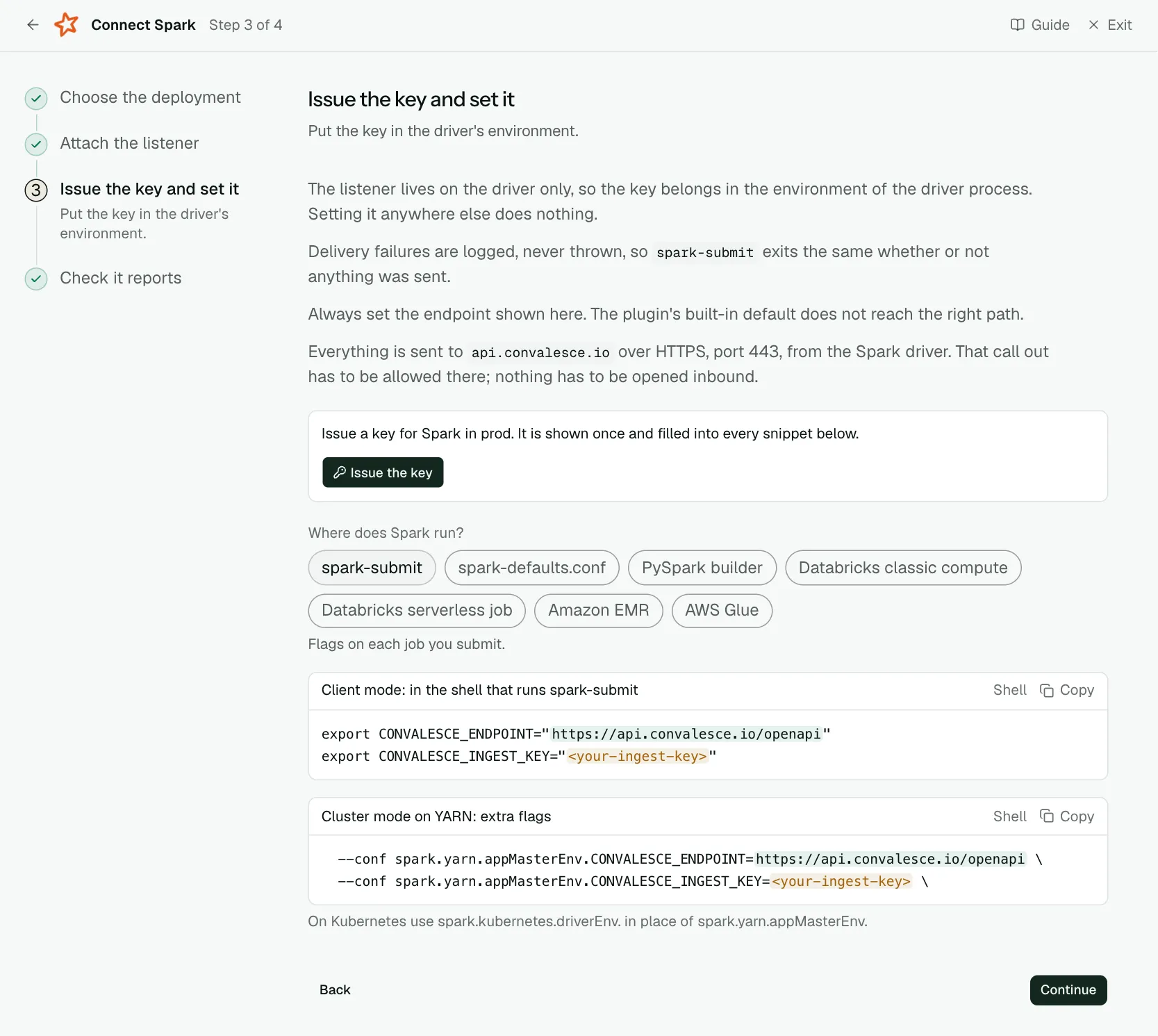
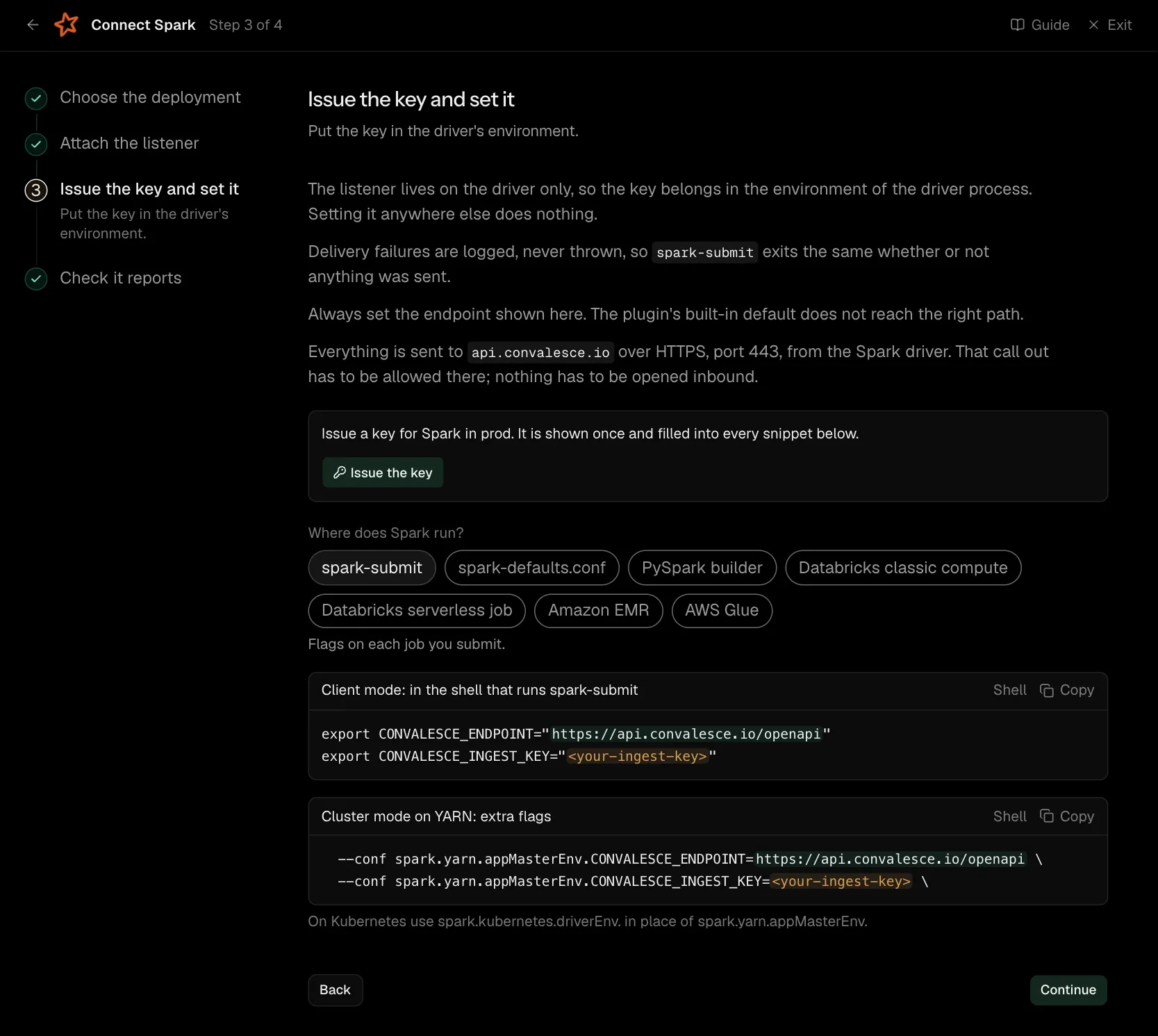
The listener lives on the driver only, so the key belongs in the environment of the driver process. Setting it anywhere else does nothing.
Delivery failures are logged, never thrown, so spark-submit exits the same whether or not anything was sent.
What is sent is Spark's own account of each application, job and query, and the tables and columns each job read and wrote. CONVALESCE_OPENLINEAGE=false on the driver turns the tables and columns off.
Always set the endpoint shown here. The plugin's built-in default does not reach the right path.
Everything is sent to api.convalesce.io over HTTPS, port 443, from the Spark driver. That call out has to be allowed there; nothing has to be opened inbound.
export CONVALESCE_ENDPOINT="https://api.convalesce.io/openapi"
export CONVALESCE_INGEST_KEY="<your-ingest-key>" --conf spark.yarn.appMasterEnv.CONVALESCE_ENDPOINT=https://api.convalesce.io/openapi \
--conf spark.yarn.appMasterEnv.CONVALESCE_INGEST_KEY=<your-ingest-key> \
--conf "spark.redaction.regex=(?i)secret|password|token|access[.]?key|ingest_key" \On Kubernetes use spark.kubernetes.driverEnv. in place of spark.yarn.appMasterEnv. spark.redaction.regex keeps the key out of the Spark UI and event logs. It is Spark's own pattern with the key's name added.
Step 4 of 5: Report Python failures, if the job is PySpark (optional)
Optional: report a PySpark driver that fails in Python.
A PySpark driver can fail in Python before Spark runs anything, for example by reading a table that is not there. Spark still ends the application normally, so the listener reports a success.
convalesce-emit-pyspark reports that failure with the Python error and its traceback, and the script the driver ran with the arguments it was given, with credentials masked. Install it into the Python that runs the driver, beside the jar.
It stays off until it is turned on, in the way shown here for where the job runs.
pip install "convalesce-emit-pyspark==0.2.1"
export CONVALESCE_PYSPARK_DRIVER_HOOK=true
Set the variable the same way as the endpoint and the key on the step before, so it reaches the driver.
Step 5 of 5: Check it reports
Run something and watch the first event arrive.
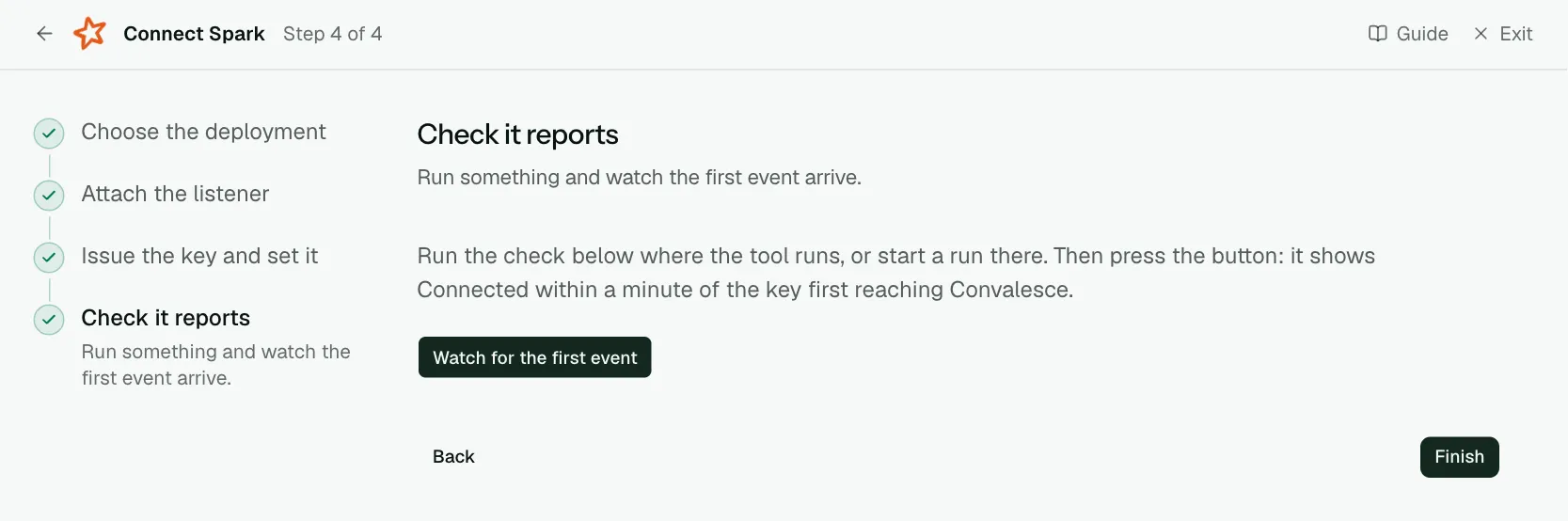
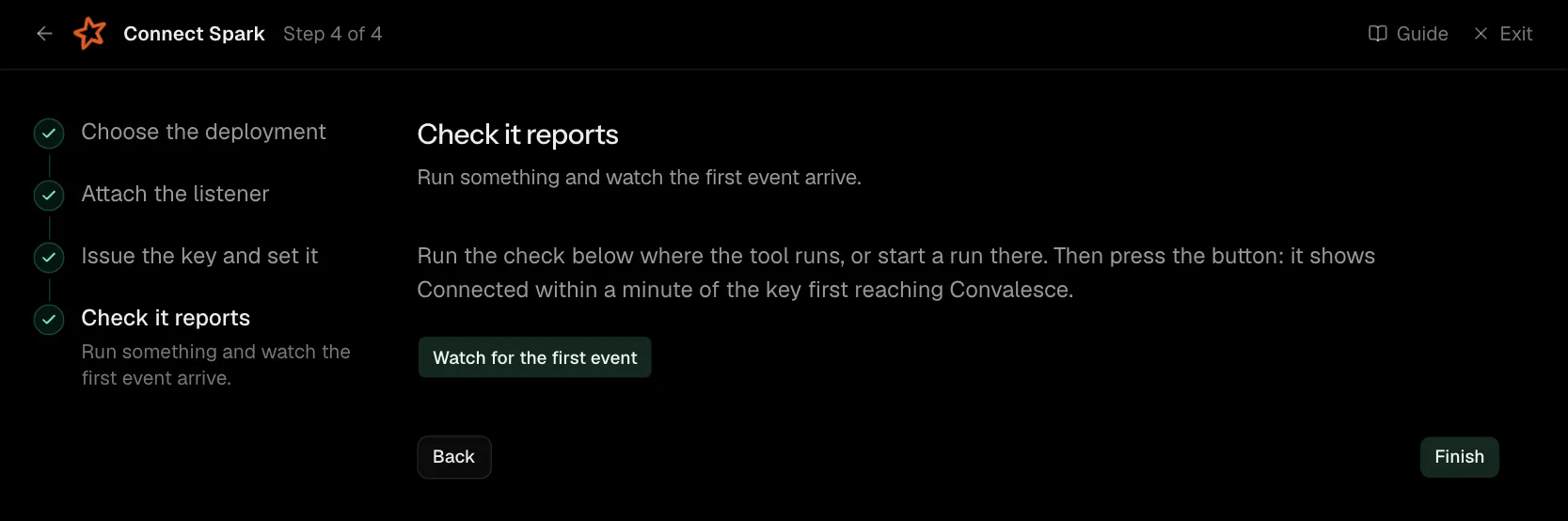
Run the check below where the tool runs, or start a run there. Then press the button: it shows Connected within a minute of the key first reaching Convalesce.
Network
Everything is sent to api.convalesce.io over HTTPS, port 443, from the Spark driver. That call out has to be allowed there; nothing has to be opened inbound.
What is sent
- Spark's own events: each application, job and SQL query starting and ending, in the form Spark writes to its event log.
- Tables and columns: the tables each job read and wrote, their columns, and which column came from which. The package brings OpenLineage with it and the listener starts it, so there is nothing else to add.
- A Python failure, where you add the helper: the Python error and its traceback, and the script the driver ran with its arguments. See Python failures on a PySpark driver.
Credentials in a job's Spark configuration are replaced before anything leaves the driver, by Spark's own redaction rule. The rows a job reads and writes stay with you.
If a job already runs OpenLineage its own way, the listener leaves that setup as it is. CONVALESCE_OPENLINEAGE=false on the driver turns the tables and columns off.
One package per Scala version
The package name ends in the Scala version your Spark was built for. The Attach the listener step asks for your Spark version and writes the right one.
| Spark | Package |
|---|---|
| Spark 3.3 to 3.5 | io.convalesce:convalesce-emit-spark_2.12 |
| Spark 4.0 | io.convalesce:convalesce-emit-spark_2.13 |
A Spark 3 built for Scala 2.13 takes the _2.13 package. spark-submit --version prints the Scala version.
On Databricks compute, choose from the Databricks Runtime the cluster shows. Runtimes built with Scala 2.12 take the Spark 3 package. 16.4 LTS with Scala 2.13, and 17 or later, take the Spark 4.0 package.
Either way the install is one package and one spark.extraListeners value.
Where jars are added by path, as on AWS Glue and Databricks compute, add three:
convalesce-emit-spark_2.12orconvalesce-emit-spark_2.13convalesce-emit-coreopenlineage-spark_2.12oropenlineage-spark_2.13, at version1.53.0
The Attach the listener step writes the download line for each.
Python failures on a PySpark driver
A PySpark driver can fail in Python before Spark runs anything, for example by reading a table that is not there. Spark still ends the application normally, so the listener reports a success.
convalesce-emit-pyspark is a small Python helper that reports that failure. It is the optional step Report Python failures, if the job is PySpark.
It sends two things:
- The failure: the Python error, its traceback and its cause. This marks the run as failed.
- The script: the text of the script the driver ran and the arguments it was given, with credentials masked. It is sent once as the driver exits, after a run that passed and after one that failed.
The helper stays off until you turn it on. Install it into the Python that runs the driver, beside the listener.
| Where the job runs | Install it | Turn it on |
|---|---|---|
spark-submit, spark-defaults.conf, PySpark builder | pip install convalesce-emit-pyspark in the Python that runs the driver | Set CONVALESCE_PYSPARK_DRIVER_HOOK=true the same way as the endpoint and the key, so it reaches the driver |
| Amazon EMR on EC2 | pip install in a bootstrap action's script, so every node has it. The helper needs Python 3.9 or later, which EMR 7 has | Two settings in the cluster's configurations: spark.yarn.appMasterEnv.CONVALESCE_PYSPARK_DRIVER_HOOK for cluster mode, and CONVALESCE_PYSPARK_DRIVER_HOOK in spark-env for client mode |
| AWS Glue | The job parameter --additional-python-modules. Glue installs it as the job starts | Two lines at the top of the job script: import convalesce_emit_pyspark and convalesce_emit_pyspark.install() |
| Databricks serverless | The job environment's Dependencies for a Python file task, or %pip install in a notebook's first cell | The script sets the endpoint and the key, then calls convalesce_emit_pyspark.install() |
The connect screen writes each of these with your own endpoint, key and version.
Two switches choose what the helper sends. Both are on by default and are in Settings: CONVALESCE_SEND_SOURCE for the script's text and CONVALESCE_SEND_ARGUMENTS for its arguments.
Where it runs
AWS Glue
- The jars go to S3 and are named in the job parameter
--extra-jars. --user-jars-first trueputs them ahead of the jars Glue ships with.- Settings go in the job parameter
--customer-driver-env-vars, withCUSTOMER_in front of each name:CUSTOMER_CONVALESCE_INGEST_KEY,CUSTOMER_CONVALESCE_ENDPOINT. Every setting on this page is read under that name on Glue. - Each run carries the Glue job's own name and Glue's own run id.
- Run on Glue 4.0 and Glue 5.0.
Amazon EMR on EC2
- These steps are for EMR on EC2 clusters.
- The package and the listener go in the cluster's
spark-defaultsconfiguration. - If the cluster already has a value for
spark.extraListeners, keep it and add ours to the end of the list. - The key and the endpoint are set twice: as
spark.yarn.appMasterEnv.properties for cluster-mode drivers, and inspark-envfor client-mode drivers on the primary node. spark.redaction.regexgoes inspark-defaultsbeside the key. It is Spark's own pattern with the key's name added, and it keeps the key out of the Spark UI and event logs.- The Python helper needs Python 3.9 or later, which EMR 7 has. Its bootstrap line lets the cluster start either way.
- The steps were run on a YARN cluster in client mode and in cluster mode.
Databricks serverless
- The helper is the whole install. It reports the run itself, from Python.
- A Python file task reports its start, its end, the Python error if it fails, and the script with its arguments, as one run named after the script file.
- A notebook reports a failure, with the Python error.
- The key is kept in a secret scope and read by the script.
- Tables and columns for these jobs arrive through the Databricks integration.
- Run on Databricks serverless compute.
Databricks compute
- The three jars and the init script go in the same Unity Catalog volume.
- The init script is added to the cluster with Volumes as its source, and copies the jars onto the cluster as it starts.
- The cluster's Spark config names the listener beside Databricks' own, so the cluster's Spark UI keeps showing.
- If the cluster already has a value for
spark.extraListeners, keep it and add ours to the end of the list. - The key is kept in a secret scope and read into the cluster's environment variables.
- The steps follow Databricks' and OpenLineage's own documentation.
Settings
All of these are environment variables, read where the plugin runs.
| Variable | Default | What it does |
|---|---|---|
CONVALESCE_INGEST_KEY | required | The key the plugin presents. Issued on the connect screen and shown once. |
CONVALESCE_ENDPOINT | required | Where it sends: https://api.convalesce.io/openapi. The connect screen fills it into every snippet. |
CONVALESCE_ENABLED | true | Set false to pause sending without uninstalling. |
CONVALESCE_DRY_RUN | false | Set true to log what would be sent and send nothing. |
CONVALESCE_TIMEOUT | 10 | Seconds to wait on one request. |
CONVALESCE_MAX_RETRIES | 3 | Attempts after the first, when a request fails for a passing reason. |
CONVALESCE_BATCH_SIZE | 50 | The most observations sent in one request. |
CONVALESCE_MAX_BODY_BYTES | 1000000 | Largest request it sends. Up to 5000000. |
CONVALESCE_SPOOL_DIR | a folder under the system temp directory | Where anything that could not be delivered waits, to be sent on a later attempt. |
CONVALESCE_SPOOL_MAX_BYTES | 1000000000 | The most that folder holds. |
CONVALESCE_OPENLINEAGE | true | Set false to stop sending the tables and columns each job read and wrote. |
CONVALESCE_SPARK_EVENTS | run events | all for every event Spark has, or a comma-separated list of event names to add. |
CONVALESCE_FLUSH_INTERVAL | 5 | Seconds between sends, so a quiet job still reports. |
CONVALESCE_PYSPARK_DRIVER_HOOK | false | Set true to turn the Python helper on, where it is installed. |
CONVALESCE_SEND_SOURCE | true | Set false to stop the helper sending the script's text. |
CONVALESCE_SEND_ARGUMENTS | true | Set false to stop the helper sending the script's arguments. |
On AWS Glue each name takes CUSTOMER_ in front, as in CUSTOMER_CONVALESCE_INGEST_KEY.
Versions
Spark 3.x and Spark 4.0 on Java 8 or later, including Amazon EMR 6.x and 7.x, AWS Glue 4.0 and 5.0, and Databricks Runtime clusters. Tables and columns arrive on Spark 3.3 to 3.5 and Spark 4.0. The Python helper runs on PySpark 3.3 to 4.0, on Python 3.9 and later.
The latest release is io.convalesce:convalesce-emit-spark_2.12:0.2.1 for Spark 3.3 to 3.5 and io.convalesce:convalesce-emit-spark_2.13:0.2.1 for Spark 4.0. The latest helper is convalesce-emit-pyspark==0.2.1.
Troubleshooting
- The check step keeps waiting. Look in the driver log for lines starting
convalesce:. They say whether the key was found and whether the address answered. - The key is set and nothing is sent. It is set on the executors, or on the machine that submitted a cluster-mode job. It belongs on the driver.
- The listener class is not found. The package has to be there when the driver starts. On Databricks compute, the init script copies the jars onto the cluster as it starts, so keep the script in the same volume as the jars. On AWS Glue, pass the jars by S3 path, as the connect screen shows.
- A PySpark job fails and shows as a success. Add the Python helper and turn it on, as the Report Python failures step shows for where the job runs.