Airflow
Connect Airflow step by step: install the plugin, issue its key, and check it reports.
Connect it
- Choose the deployment: which environment this is: production, staging.
- Install the plugin: add convalesce-emit-airflow where Airflow runs.
- Issue the key and set it: point the scheduler and every worker at Convalesce.
- Turn on retries, if you want them: optional: let Airflow rerun a task once somebody approves it.
- Check it reports: run something and watch the first event arrive.
convalesce-emit-airflow is an Airflow plugin. Once it is installed, Airflow tells Convalesce about every dag run and task as it happens: started, succeeded, failed, and why.
There is nothing to add to your dags. The plugin registers itself when Airflow starts.
Convalesce is a hosted service. The plugin sends out to it over HTTPS, and nothing has to be opened inbound on your side.
Before you start
- Somewhere to add a Python package to your Airflow: a virtualenv, an image, a Helm chart, or a managed service's requirements file.
- A way to set two environment variables on the scheduler and on every worker.
Connect it
In Convalesce, open Integrations, choose Airflow, and follow the steps. Each one is shown below as it looks on screen, with what to copy and run.
Set the key on the scheduler and on every worker. Task events come from the worker and dag-run events from the scheduler, so a key on only one of them reports half of each run.
The steps depend on one choice: Where it runs. Pick yours here, and every step, picture and script below follows it.
Airflow installed with pip on a server.
Step 1 of 5: Choose the deployment
Which environment this is: production, staging.
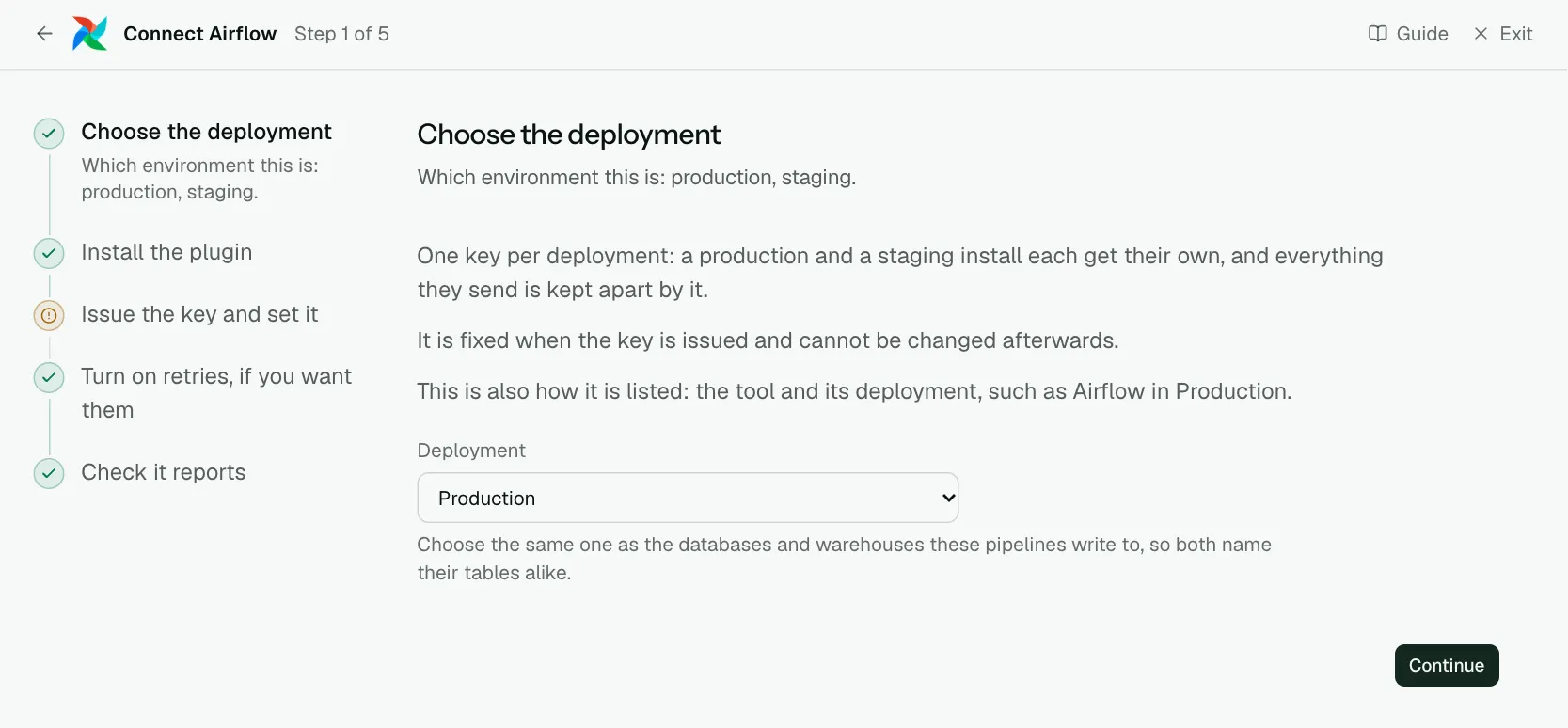
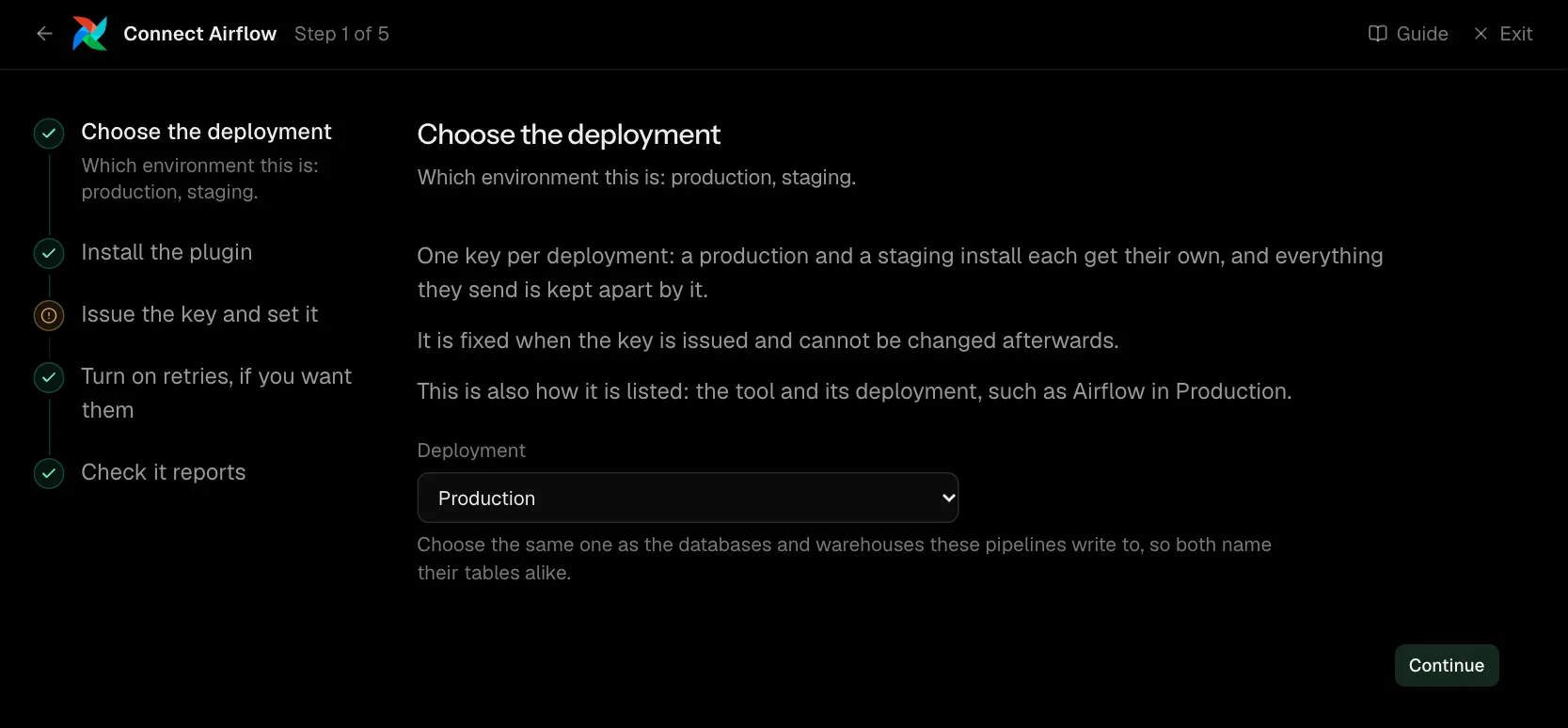
One key per deployment: a production and a staging install each get their own, and everything they send is kept apart by it.
It is fixed when the key is issued and cannot be changed afterwards.
This is also how it is listed: the tool and its deployment, such as Airflow in Production.
| What it asks for | Needed | What to enter |
|---|---|---|
| Deployment | Yes | Choose the same one as the databases and warehouses these pipelines write to, so both name their tables alike. Choose one of: Production, Staging, Development, Test, Quality assurance, User acceptance, Pre-production, Sandbox. |
Step 2 of 5: Install the plugin
Add convalesce-emit-airflow where Airflow runs.
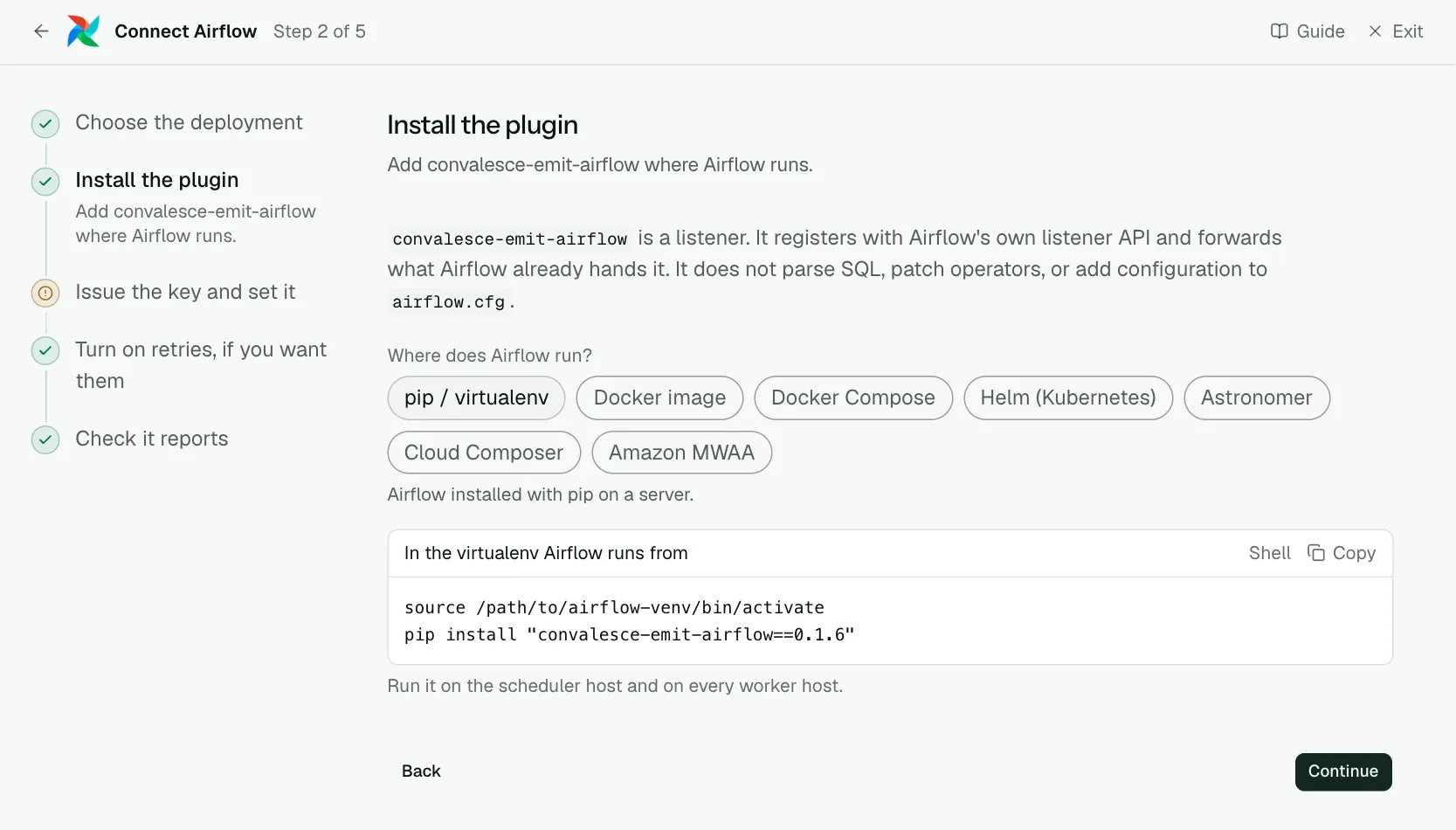
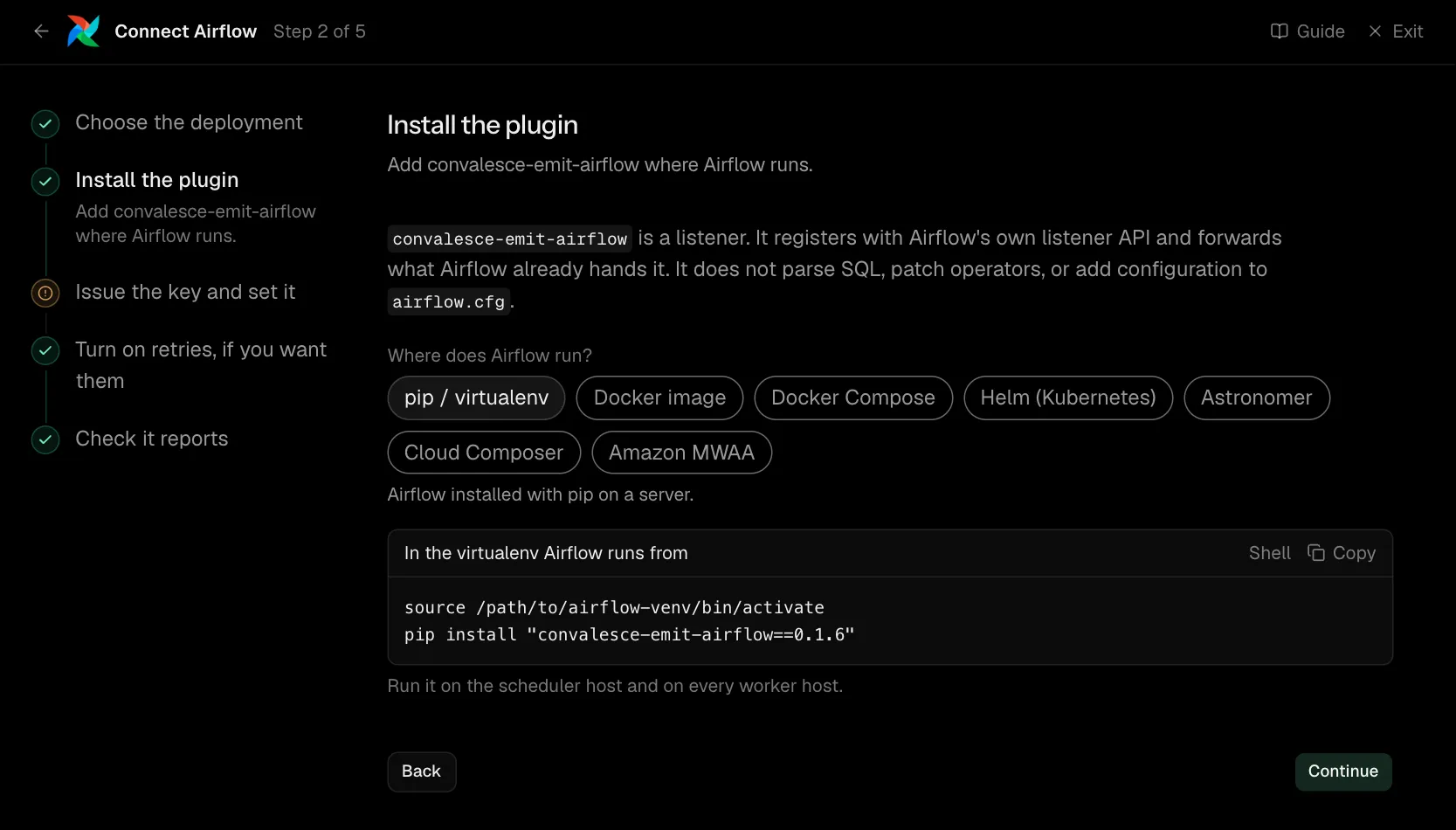
convalesce-emit-airflow is a listener. It registers with Airflow's own listener API and forwards what Airflow already hands it, with nothing to add to a dag or to airflow.cfg.
On Airflow 2.7 and later it carries Airflow's OpenLineage provider inside it, so table and column lineage for SQL operators arrives with nothing else to install. An OpenLineage setup of your own is left as it is.
source /path/to/airflow-venv/bin/activate
pip install "convalesce-emit-airflow==0.2.1"
Run it on the scheduler host and on every worker host.
Step 3 of 5: Issue the key and set it
Point the scheduler and every worker at Convalesce.
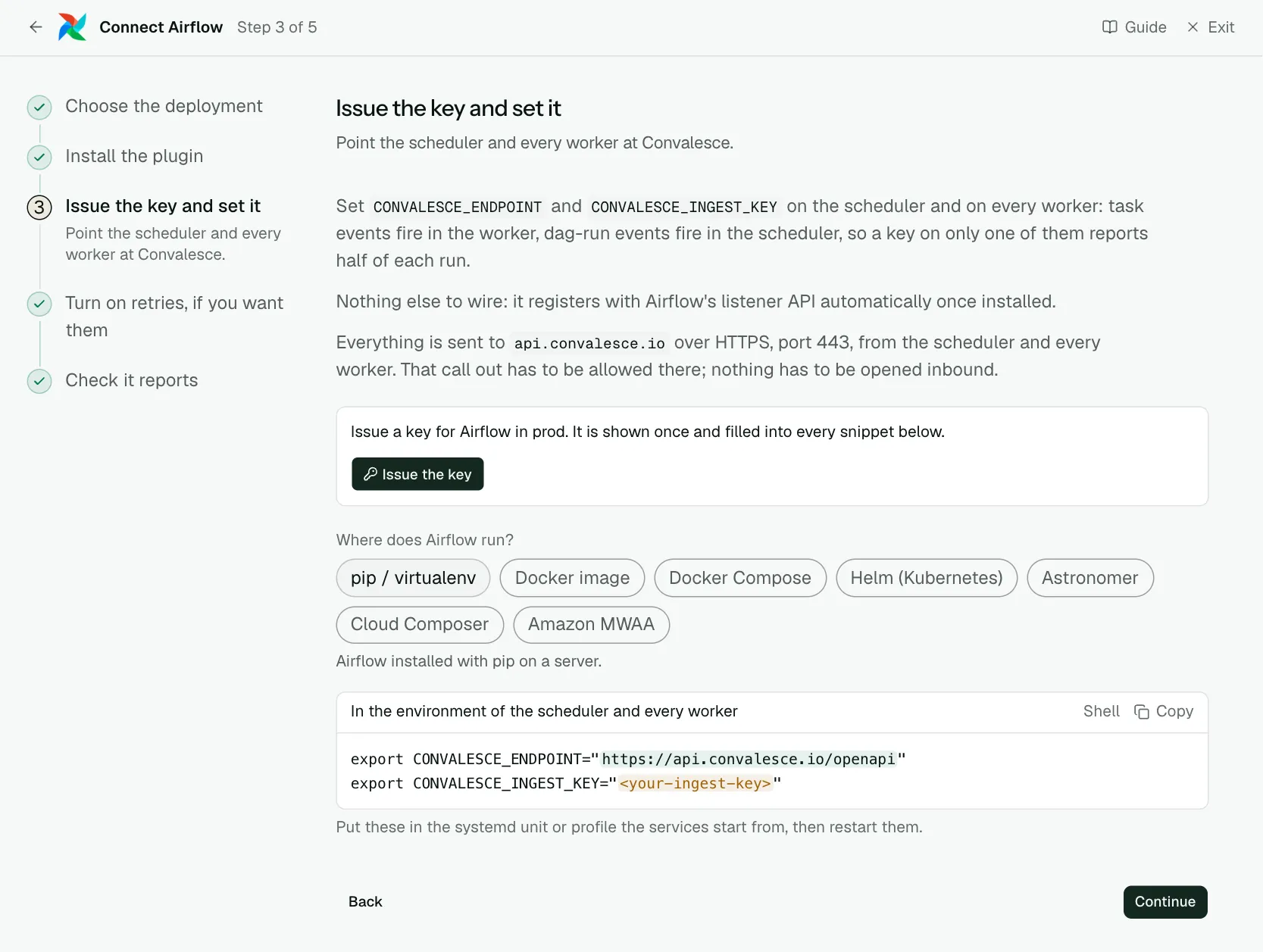
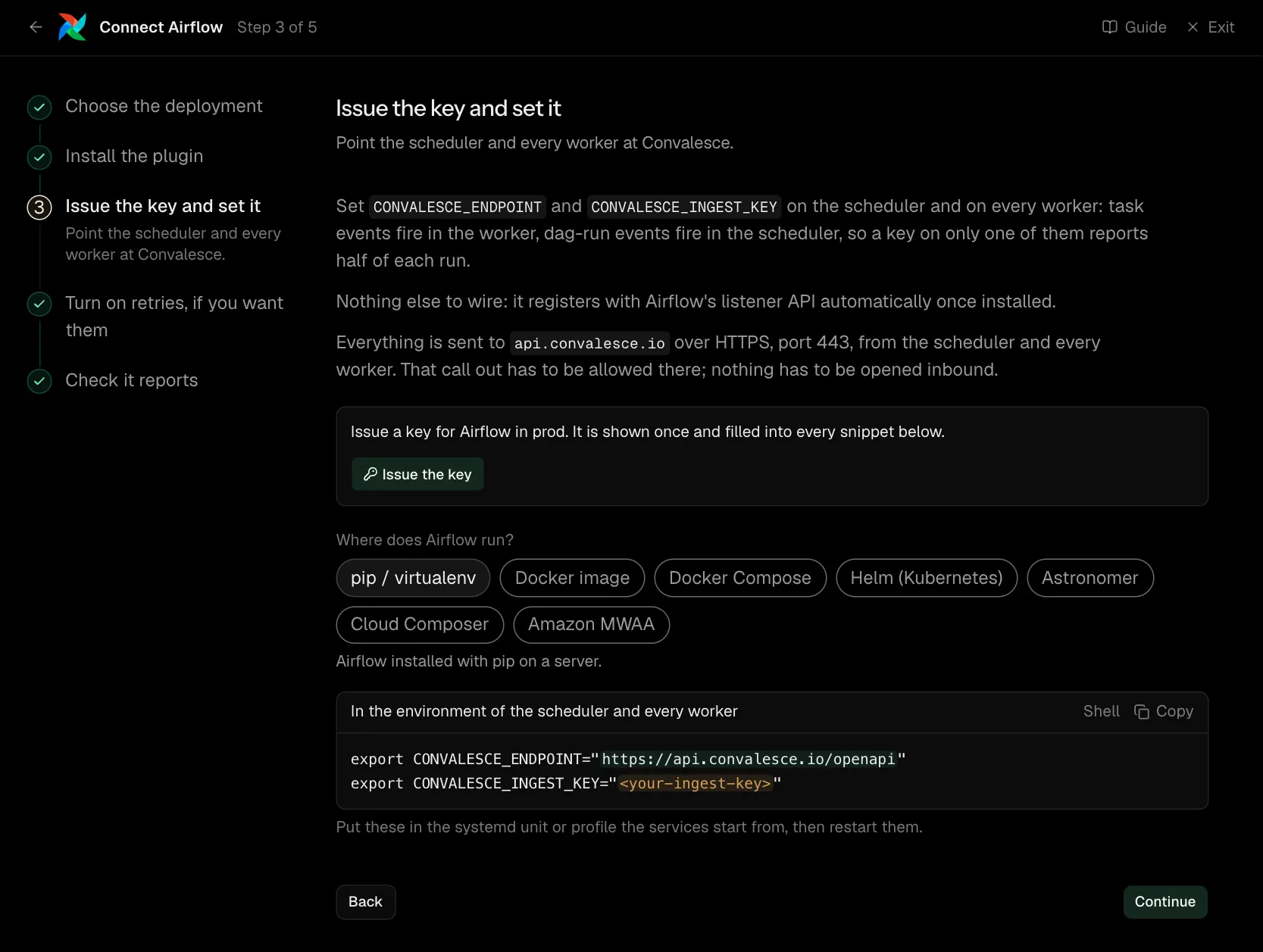
Set CONVALESCE_ENDPOINT and CONVALESCE_INGEST_KEY on the scheduler and on every worker: task events fire in the worker, dag-run events fire in the scheduler, so a key on only one of them reports half of each run.
Nothing else to wire: it registers with Airflow's listener API automatically once installed.
With each task it sends the code the task ran, the SQL it ran (the statement text, never the values bound to it) and what it was called with, with secrets masked. CONVALESCE_SEND_SOURCE, CONVALESCE_SQL_CAPTURE and CONVALESCE_SEND_ARGUMENTS each turn one of those off when set to false, and CONVALESCE_OPENLINEAGE=false turns the lineage off.
Every DAG is reported. To choose which, set CONVALESCE_AIRFLOW_DAG_ALLOW or CONVALESCE_AIRFLOW_DAG_DENY on the scheduler and on every worker: each is a comma-separated list of shell-style patterns matched against the DAG id, such as orders_*,billing. With an allow list only a DAG that matches is reported, a DAG on the deny list is left out, and a DAG that matches both is left out.
Everything is sent to api.convalesce.io over HTTPS, port 443, from the scheduler and every worker. That call out has to be allowed there; nothing has to be opened inbound.
export CONVALESCE_ENDPOINT="https://api.convalesce.io/openapi"
export CONVALESCE_INGEST_KEY="<your-ingest-key>"
Put these in the systemd unit or profile the services start from, then restart them.
Step 4 of 5: Turn on retries, if you want them (optional)
Optional: let Airflow rerun a task once somebody approves it.
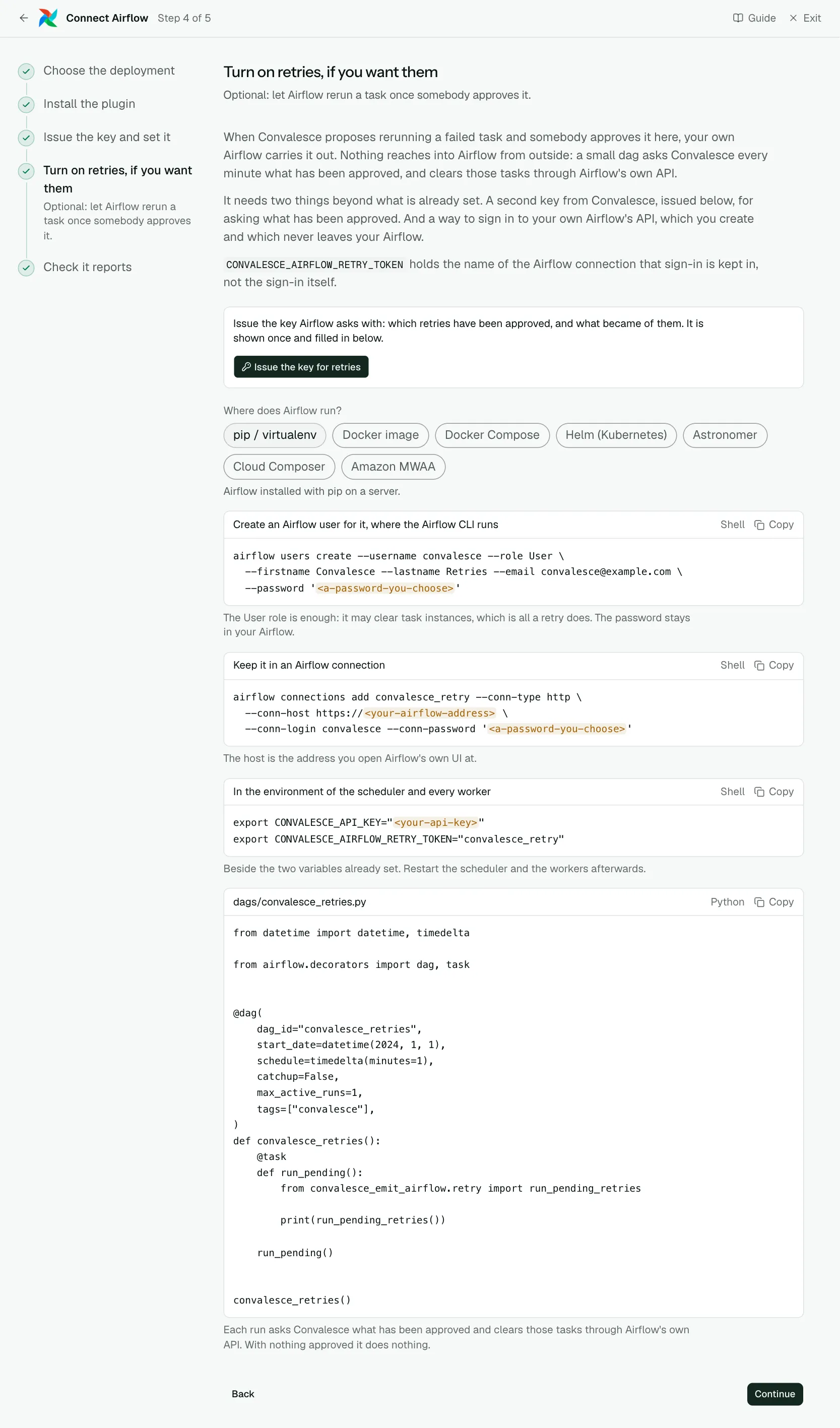
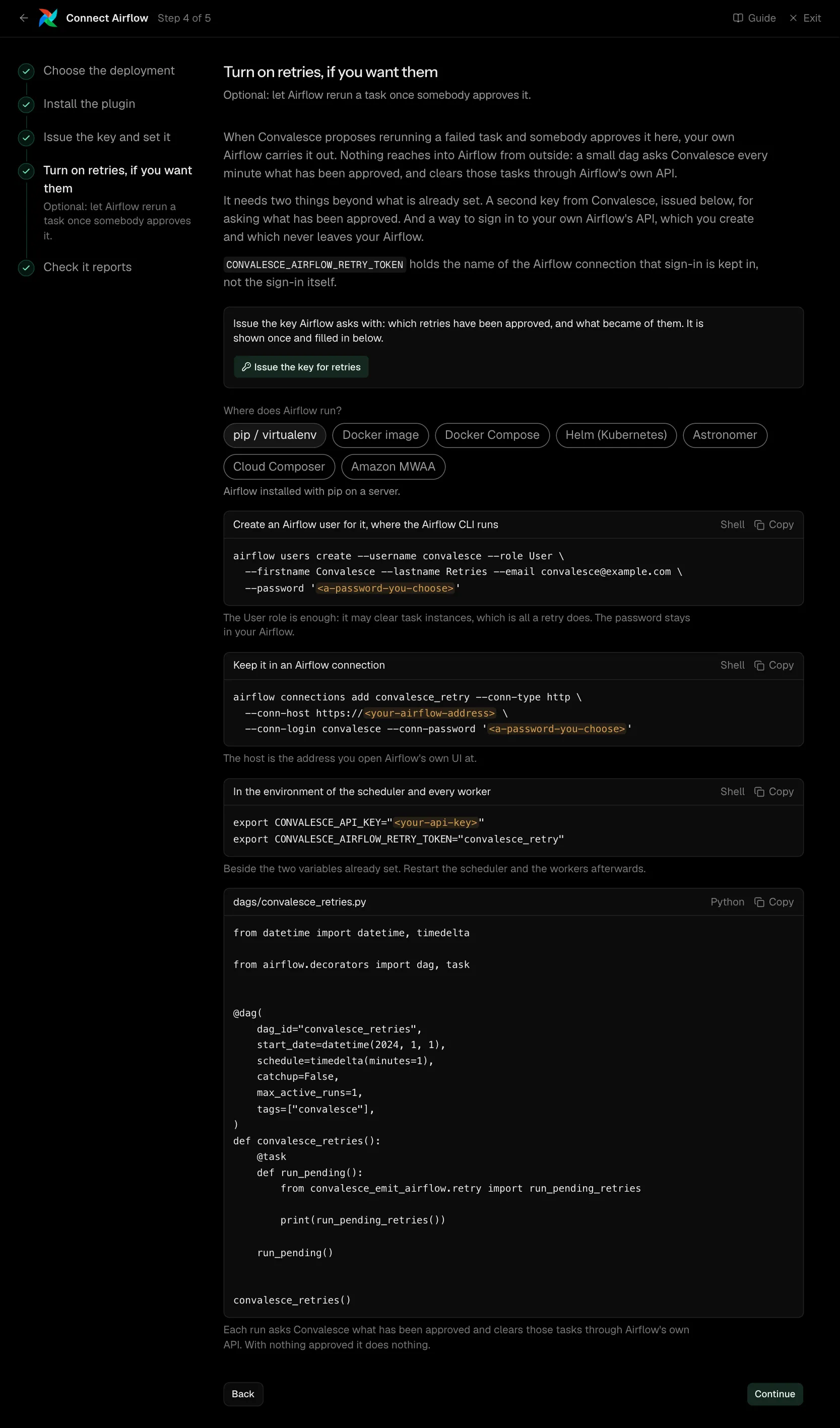
When Convalesce proposes rerunning a failed task and somebody approves it here, your own Airflow carries it out. Nothing reaches into Airflow from outside: a small dag asks Convalesce every minute what has been approved for this deployment, with the key you have already set, and clears those tasks.
What it takes depends on your Airflow version. Airflow 2.5 to 2.11 needs only the dag. Airflow 3.0 and later lets a task reach other tasks only through its API, so it also needs a way to sign in, which you create and which never leaves your Airflow.
| What it asks for | Needed | What to enter |
|---|---|---|
| Airflow version | Optional | Choose the range yours falls in to see its setup. airflow version prints it. Choose one of: Airflow 2.5 to 2.11, Airflow 3.0 and later. |
airflow users create --username convalesce --role User \
  --firstname Convalesce --lastname Retries --email convalesce@example.com \
  --password '<a-password-you-choose>'
This is the command where Airflow's users are kept by the FAB auth manager. On the simple auth manager, which a new Airflow 3 starts with, add convalesce:user to simple_auth_manager_users instead and use the password Airflow generates for it. The User role is enough: it may clear task instances, which is all a retry does. The password stays in your Airflow.
airflow connections add convalesce_retry --conn-type http \
  --conn-host https://<your-airflow-address> \
  --conn-login convalesce --conn-password '<a-password-you-choose>'
The host is the address you open Airflow's own UI at. Keep the name convalesce_retry: it is the one the plugin looks for.
from datetime import datetime, timedelta

from airflow.decorators import dag, task


@dag(
    dag_id="convalesce_retries",
    start_date=datetime(2024, 1, 1),
    schedule=timedelta(minutes=1),
    catchup=False,
    max_active_runs=1,
    tags=["convalesce"],
)
def convalesce_retries():
    @task
    def run_pending():
        from convalesce_emit_airflow.retry import run_pending_retries

        print(run_pending_retries())

    run_pending()


convalesce_retries()
Each run asks Convalesce what has been approved for this deployment and clears those tasks. With nothing approved it does nothing.
Step 5 of 5: Check it reports
Run something and watch the first event arrive.
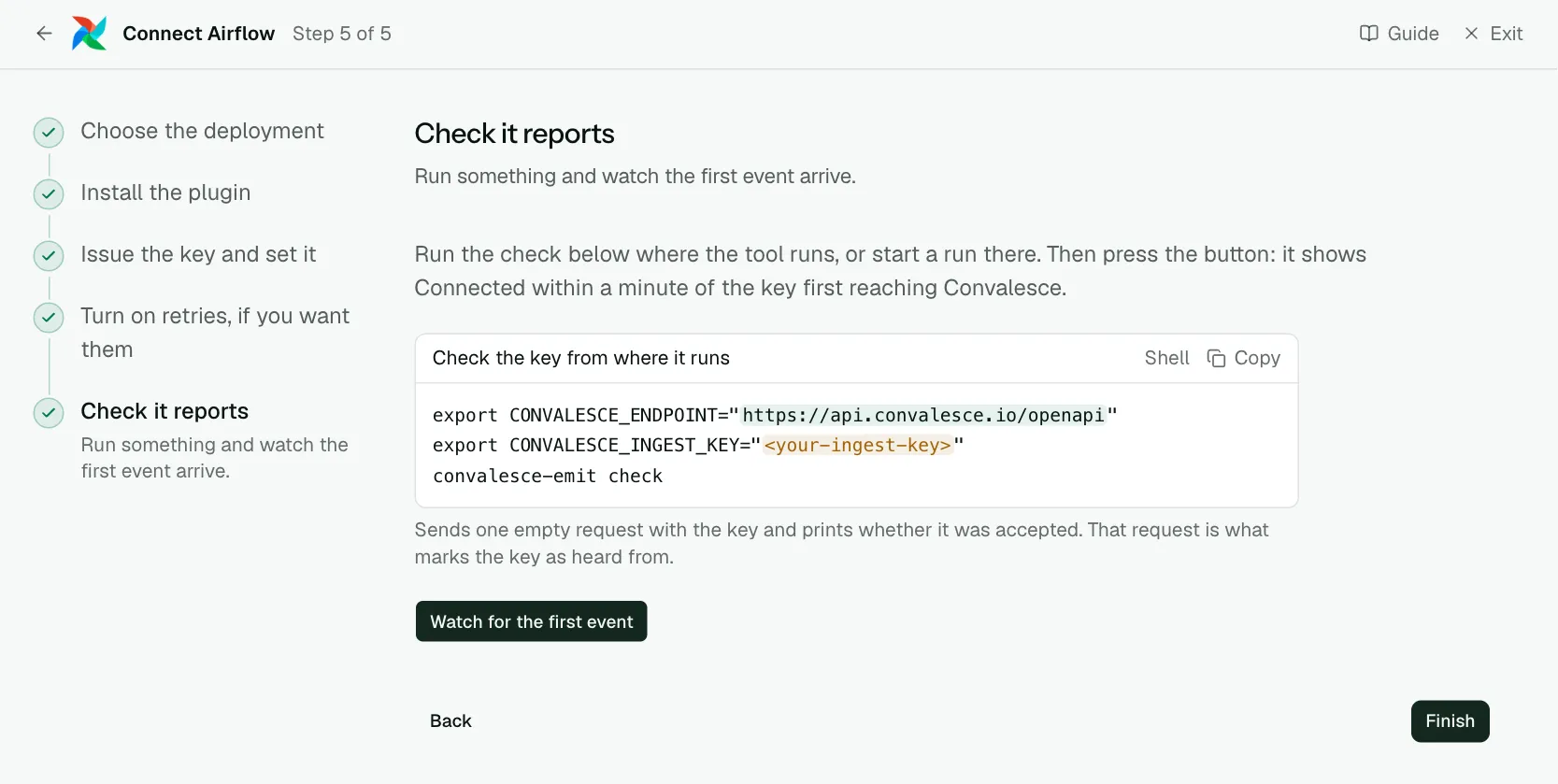
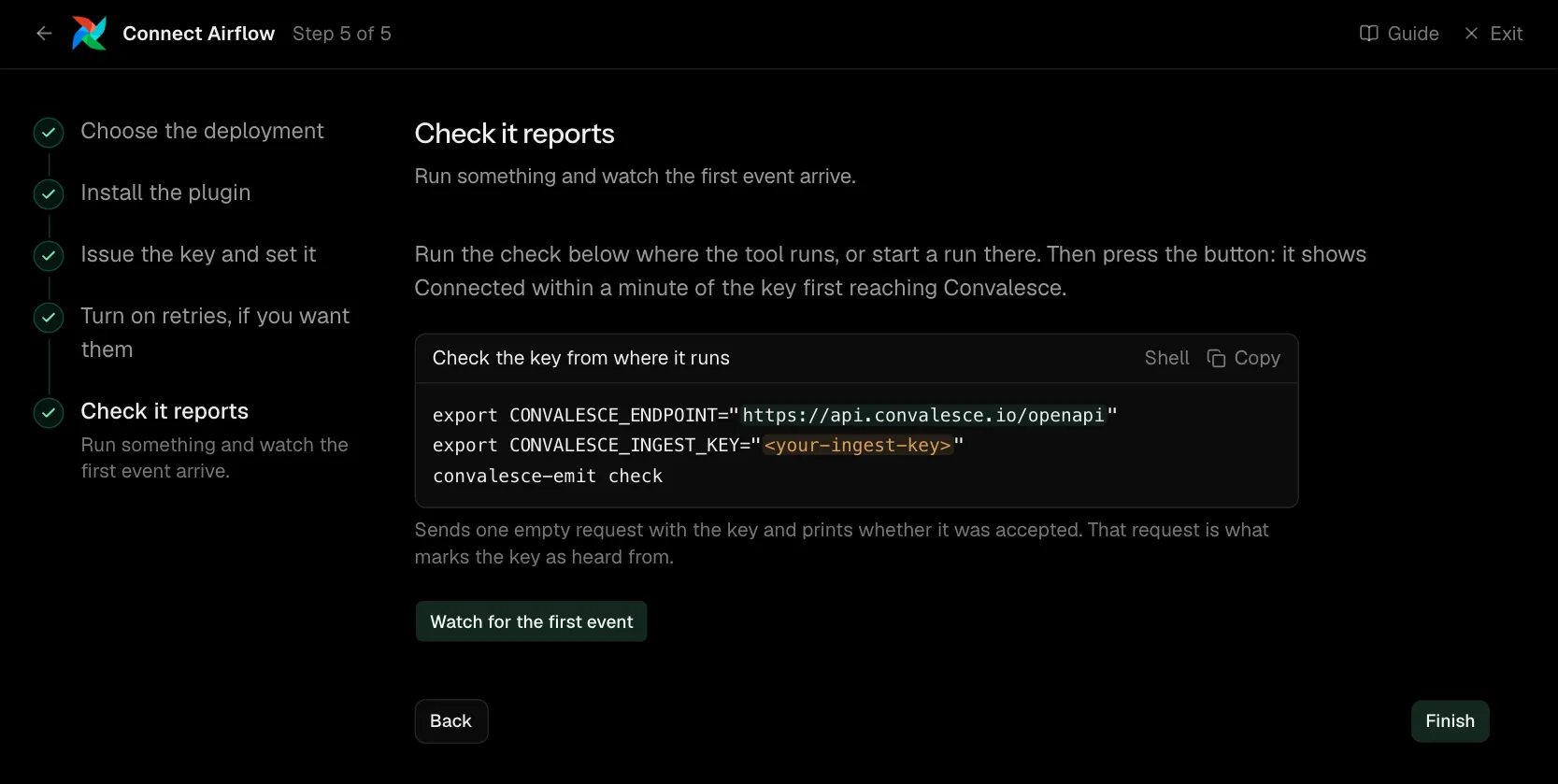
Run the check below where the tool runs, or start a run there. Then press the button: it shows Connected within a minute of the key first reaching Convalesce.
Network
Everything is sent to api.convalesce.io over HTTPS, port 443, from the scheduler and every worker. That call out has to be allowed there; nothing has to be opened inbound.
Retries
The Turn on retries step asks which Airflow version you run, because the two need different things.
| Airflow | What you add |
|---|---|
| Airflow 2.5 to 2.11 | The convalesce_retries dag. |
| Airflow 3.0 and later | The dag, and a sign-in to your Airflow's API, kept in an Airflow connection named convalesce_retry. |
The sign-in on Airflow 3.0 and later
- An Airflow you run yourself: an Airflow user's login and password. The plugin exchanges them for a short-lived token each time, so nothing in the connection expires.
- Astronomer: a Deployment API token as the password, with no login. Create it on the deployment's Access page and leave its expiry empty.
The dag asks Convalesce with the key you have already set.
What is sent
With each task, the plugin sends what the task did:
- The code that ran: the source of the Python function the task called.
- The SQL it ran: the text of each statement. The values bound to a statement and the rows it read or wrote stay with you.
- What it was called with: the task's arguments and parameters, and the config the dag run was started with. Secrets are masked and long values are cut short.
Each of the three is on by default and has its own switch in Settings. false, 0, no and off all turn a switch off.
Connections
For each connection a task names, the plugin sends its type, host, port and schema. It also sends these names from the connection's extra settings when they are set: database, schema, warehouse, role, catalog, project and dataset.
They complete a table name written without its database, so one table is listed once however a task names it. Each value goes through the same masking as the rest of the event.
Choosing which DAGs are reported
Every DAG is reported by default. Two settings choose by DAG id:
CONVALESCE_AIRFLOW_DAG_ALLOW: when set, only a DAG whose id matches is reported.CONVALESCE_AIRFLOW_DAG_DENY: a DAG whose id matches is left out.
Each is a comma-separated list of shell-style patterns, matched against the whole DAG id with its case kept:
CONVALESCE_AIRFLOW_DAG_ALLOW="orders_*,billing"
CONVALESCE_AIRFLOW_DAG_DENY="orders_scratch"
A DAG that matches both is left out. Set them on the scheduler and on every worker.
Lineage
On Airflow 2.7 and later the plugin carries Airflow's OpenLineage provider inside it, so lineage for SQL operators needs nothing else installed. The tables each task read and wrote, the SQL, and which column came from which all arrive with the one pip install.
If you already run OpenLineage your own way, the plugin leaves your setup as it is. CONVALESCE_OPENLINEAGE=false turns the lineage off.
Settings
All of these are environment variables, read where the plugin runs.
| Variable | Default | What it does |
|---|---|---|
CONVALESCE_INGEST_KEY | required | The key the plugin presents. Issued on the connect screen and shown once. |
CONVALESCE_ENDPOINT | required | Where it sends: https://api.convalesce.io/openapi. The connect screen fills it into every snippet. |
CONVALESCE_ENABLED | true | Set false to pause sending without uninstalling. |
CONVALESCE_DRY_RUN | false | Set true to log what would be sent and send nothing. |
CONVALESCE_TIMEOUT | 10 | Seconds to wait on one request. |
CONVALESCE_MAX_RETRIES | 3 | Attempts after the first, when a request fails for a passing reason. |
CONVALESCE_BATCH_SIZE | 50 | The most observations sent in one request. |
CONVALESCE_MAX_BODY_BYTES | 1000000 | Largest request it sends. Up to 5000000. |
CONVALESCE_SPOOL_DIR | a folder under the system temp directory | Where anything that could not be delivered waits, to be sent on a later attempt. |
CONVALESCE_SPOOL_MAX_BYTES | 1000000000 | The most that folder holds. |
CONVALESCE_SEND_SOURCE | true | Set false to stop sending the code that ran. |
CONVALESCE_SQL_CAPTURE | true | Set false to stop sending the SQL that ran. |
CONVALESCE_SEND_ARGUMENTS | true | Set false to stop sending what each task was called with. |
CONVALESCE_OPENLINEAGE | true | Set false to turn off the lineage the plugin sends through Airflow's OpenLineage provider. |
CONVALESCE_AIRFLOW_DAG_ALLOW | every DAG | A comma-separated list of patterns. When set, only a DAG whose id matches is reported. |
CONVALESCE_AIRFLOW_DAG_DENY | none | A comma-separated list of patterns. A DAG whose id matches is left out. |
CONVALESCE_AIRFLOW_RETRY_CONNECTION | convalesce_retry | The name of the Airflow connection that holds the sign-in to your Airflow's API, where you want another name. |
Versions
Airflow 2.5 and later, including Airflow 3, on Python 3.9 and later. The latest release is convalesce-emit-airflow==0.2.1.
Troubleshooting
- The check step keeps waiting. Run
convalesce-emit checkin the same environment as the scheduler. It says whether the key is accepted and the address is reachable. - Runs arrive but tasks do not, or the other way round. The two variables are set on the scheduler or the workers, and need to be on both.
- An approved retry is not carried out. The
convalesce_retriesdag has to be switched on, and its log says why it skipped one. On Airflow 3.0 and later it is usually that theconvalesce_retryconnection was not found, or Airflow did not accept the sign-in.